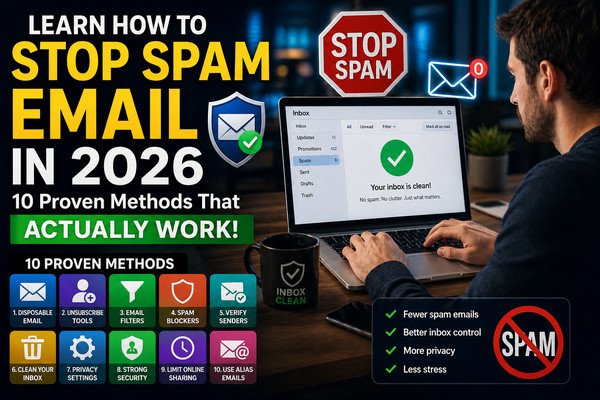
Comprehensive Guide to Disposable Email Systems, Privacy Architecture, and Digital Security in 2026
In the contemporary digital landscape, maintaining control over personal data and digital identity has become increasingly difficult. Every online interaction—from downloading a whitepaper, registering for a public Wi-Fi hotspot, testing a software product, to joining a digital community—demands a valid email address. Unfortunately, handing over your primary personal or business email address exposes you to persistent spam marketing, aggressive digital profiling, automated cross-site tracking, and devastating credential leaks during corporate data breaches.
A temporary disposable email address generator, such as TempToMail (operating mail infrastructure under mailifybox.xyz), delivers an immediate, robust defense line. By providing short-lived, self-cleaning inboxes, TempToMail enables users to complete transactional registrations and receive verification passcodes without ever exposing their permanent credentials. This extensive engineering and user guide explores the mechanics of temporary mail servers, SMTP catch-all architectures, Tier-1 digital privacy protection, and automated QA integration workflows.
1. The Evolution of Email Privacy: Why Permanent Inboxes Are Vulnerable
Email was originally designed as an open, trusted communications protocol. However, modern commercial entities turn email addresses into unique global identifiers. Modern advertising tech stacks utilize your email string to stitch together cross-device browsing habits, purchase histories, and location data. When you submit your permanent email to secondary websites:
- Data Aggregation & Resale: Marketing brokers harvest your address, trading it across global advertising networks.
- Credential Stuffing & Phishing: When secondary web platforms suffer security breaches, your email becomes a target for automated credential stuffing attacks and sophisticated spear-phishing campaigns.
- Unsubscribe Trap Vectors: Clicking "unsubscribe" in unverified commercial emails often flags your inbox as active, increasing spam volume tenfold.
2. How TempToMail Works: Catch-All SMTP & Backend Infrastructure
Unlike standard webmail services (like Gmail or Outlook) where each account requires manual user creation, database storage allocation, and credential management, TempToMail utilizes a dynamic, scalable SMTP Catch-All Architecture powered by containerized mail servers (Poste.io running on high-performance Linux VPS infrastructure).
When an email is addressed to any random string at mailifybox.xyz (e.g., k7mZq2x9vL@mailifybox.xyz):
- DNS MX Lookup: The sender's mail server queries global DNS systems for the MX (Mail Exchange) record of
mailifybox.xyz, which routes directly to our high-availability VPS server. - Catch-All SMTP Ingestion: The containerized Poste.io engine accepts inbound connections regardless of whether the local recipient prefix existed previously.
- Parsing & Sanitization Engine: The raw MIME message stream is handed to our backend API pipeline. Modern Node.js/Python microservices extract headers, render plain text, and process HTML content through DOMPurify filters to neutralize dangerous scripts, tracking pixels, and malicious redirects.
- Short-Term Caching & Auto-Purge: Messages are indexed temporary in fast, memory-optimized storage. Exactly 24 hours after arrival, automated backend cron tasks trigger a hard deletion of stored emails, maintaining zero residual data logs and preventing server load overhead.
3. Key Use Cases: When to Use Throwaway Email Addresses
Disposable email accounts are essential in multiple personal, professional, and technical environments:
- Software QA & Automated Pipeline Testing: Developers and QA engineers use disposable inboxes to test registration flows, welcome email triggers, and OTP verifications in CI/CD automation without clogging real test accounts.
- SaaS Product Trials & Gated Content: Access software demos, downloadable PDFs, e-books, or promo codes without subscribing to unwanted recurring marketing newsletters.
- Public Wi-Fi Verification: Airport, hotel, and restaurant networks frequently force email validation before permitting internet connectivity. Use a temp mail address to pass the login screen securely.
- Online Marketplaces & Discussion Forums: Participate in digital forums or buy items online while keeping your private email isolated from public scraping.
4. Comparing Email Privacy Methods
To choose the right privacy strategy, examine how throwaway temp mail compares with standard email tagging and permanent aliases:
| Privacy Vector | Plus Addressing (user+tag@gmail.com) | Permanent Custom Aliases | TempToMail Disposable Mail |
|---|---|---|---|
| Identity Masking | Poor (Base email is easily visible) | Moderate (Linked to alias provider) | Maximum (Zero link to personal identity) |
| Setup Time | Instant | Requires configuration | Zero Setup (1-Click instant generation) |
| Lifespan & Retention | Permanent | Configurable / Long term | 60-Min Timer / 24-Hr Server Purge |
| OTP Auto-Extraction | No | No | Yes (Built-in code parser) |
| Cost | Free | Usually Paid Premium | 100% Free |
5. Strategic Duration Selection for Maximum Productivity
Different tasks require distinct operational durations. TempToMail supports various tailored duration pages to match your precise workflow requirements:
- 3 Minute Temporary Email: Optimized for rapid OTP SMS/email passcodes and quick registration unlocks.
- 5 Minute Temporary Email: Perfect for high-speed app verification flows.
- 10 Minute Mail: The industry standard duration for website registrations, coupon code unlocks, and e-book downloads.
- 20 Minute Mail: Designed for multi-step onboarding sequences.
- 30 Minute Mail: Suited for delayed email verification workflows.
- 50 Minute Mail: Tailored for lengthy web surveys, trials, and educational webinars.
- 80 Minute Mail: Ideal for intensive developer API testing and QA automation runs.
6. Advanced Features: Smart OTP Parsing & Sanitized Email Viewing
TempToMail incorporates advanced client-side and server-side utilities designed for speed and security:
- Automated OTP Detection: Standard email bodies contain long text, signatures, and disclaimers. Our intelligent parser scans the payload for numeric (e.g.,
583920) or alphanumeric verification tokens and renders them inside a high-visibility modal header with a 1-click copy button. - HTML Security Sanitization: Raw HTML emails can contain tracking beacons, external scripts, or phishing link redirects. Utilizing DOMPurify before DOM injection guarantees that harmful code cannot execute within your browser.
- Asynchronous Polling Engine: The client-side
app.jsfile queries our secure REST API endpoints atapi.mailifybox.xyzevery 5 seconds, ensuring real-time inbox updates without full page reloads or freezing issues.
7. Step-by-Step Practical Troubleshooting
If you experience delay in receiving an expected email message, follow these diagnostic steps:
- Verify Address Exactness: Ensure the address was copied directly using the "Copy Email" button. Mistyping a single character prevents SMTP delivery.
- Sender Queue Latency: Transactional email providers (like SendGrid or Mailgun) occasionally experience delivery queues. Allow 15–30 seconds for the message to propagate.
- Strict Sender Blocking: Certain financial institutions or government portals reject known disposable domain suffixes. For general SaaS, Wi-Fi, and media portals,
mailifybox.xyzmaintains high deliverability status. - Active Timer Monitoring: Ensure your browser tab remains active so the JavaScript polling loop continues fetching new messages.
8. Modern Digital Hygiene Best Practices
Using disposable mail is one pillar of a complete digital privacy strategy. Combine TempToMail with these recommended privacy steps:
- Use a Password Manager: Generate unique, complex passwords for every platform, regardless of whether you used a temporary or permanent email address.
- Employ VPN Encryption: While throwaway mail masks your true inbox identity, a Virtual Private Network (VPN) conceals your IP address and geographic tracking data.
- Isolate High-Risk Accounts: Never use disposable email addresses for accounts requiring long-term access recovery—such as primary banking, crypto wallets, primary social handles, or government tax services.